Build your digital, contactless, fast, and always up-to-date menu with ScanMenu
Nigeria’s smart QR menu platform designed for restaurants, hotels, cafés, and food vendors. With just a scan, customers can view your menu on their phones—fast, convenient, and always up-to-date.
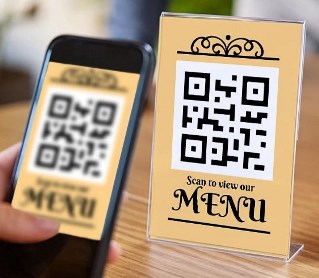
Choose your Resaturant Name
Try With QR code
HOW IT WORKS
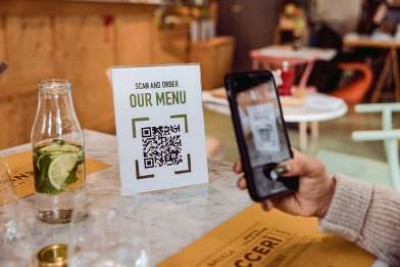
1. Scan the QR code to view the menu
When customers arrives, they scan your QR code with their smartphone…Read More

2. View the Menu Instantly
The menu opens right on your phone’s browser—no need to download…Read More
3. Check Details & Specials
Browse categories (Starters, Main Dishes, Drinks, Desserts, etc.).…Read More

4. Place Your Order
Order directly from the menu on your phone. You can select your items,…Read More

5. Enjoy Contactless Convenience
No physical menus are needed. It’s clean, fast, and always up-to-date—prices…Read More
AMAZING FEATURES
Choose a name of your Restaurant
Choose you name and create your restaurant easily
Mail verification
After creating your account, verify you account by mail verification
Make Payment
Make a payment using the account details found in the email sent to you
QR code
After create account dynamically create your account QR code. Share your account via QR code
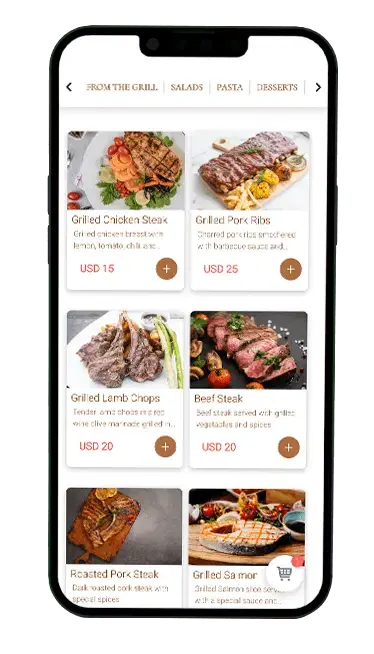
Create Menu
Add to cart your item and make a menu
Make an order
After select all items make an order select order type like booking or home delivery
Call a Waiter
You can call a waiter just by pressing a button and the waiter will be notified
Track your order
Track your order using your phone & Order id or QR code
FAQ
Creating your restaurant on ScanMenu is simple:
-
Sign up for an account on ScanMenu.com.ng.
-
Log in to your dashboard.
-
Click “Add Restaurant” and enter your restaurant name, location, and details.
-
Upload your logo and contact info (optional).
-
Your restaurant profile will be live and ready for menus.
- Payments can be made offline to our corporate bank account.
-
- After payment, send a mail to info@scanmenu.com.ng with your transaction ID and name of the Hotel or Restaurant. You’ll receive an email receipt and your subscription will be active.
- Renewal reminders will be sent before your subscription expires.
- Log in to your dashboard.
-
Go to Subscription Plans.
-
Choose a package that suits your restaurant or Hotel
-
Click Subscribe and proceed to payment.
-
- Once payment is confirmed, your subscription activates immediately.
- Log in to your restaurant dashboard.
-
Select your restaurant and click “Add Menu”.
-
Create menu categories (e.g., Breakfast, Drinks, Desserts).
-
Add each item with name, price, description, and image.
-
- Save and publish—your QR menu updates instantly.

Select a package to continue
Basic
₦ 100,000 / year
- Welcome Page
- Digital Menu (20 Items)
- Packages
- Specialities
- QR code
- Online Order (100)
- Call Waiter Feature
- Install as Mobile App (PWA)
Regular
₦ 150,000 / year
- Welcome Page
- Digital Menu (50 Items)
- Packages
- Specialities
- QR code
- Online Order (200)
- Call Waiter Feature
- Install as Mobile App (PWA)
Premium
₦ 350,000 / year
- Welcome Page
- Digital Menu (Unlimited Items)
- Packages
- Specialities
- QR code
- Online Order (Unlimited)
- Call Waiter Feature
- Install as Mobile App (PWA)
- 24/7 Technical Support
- Analytics & Reports